

 No app download for your guests
FRONT OF HOUSE
Stay close
to your guests.
Take table orders and respond to requests with the RestroPress Waiter App.
Explore Waiter App RestroPress Waiter
DINE-IN ORDERING FOR WORDPRESS
Your menu on their phone. Let guests scan a QR code at the table, choose and order, with your team just a tap away.
No app download for your guests
 For your team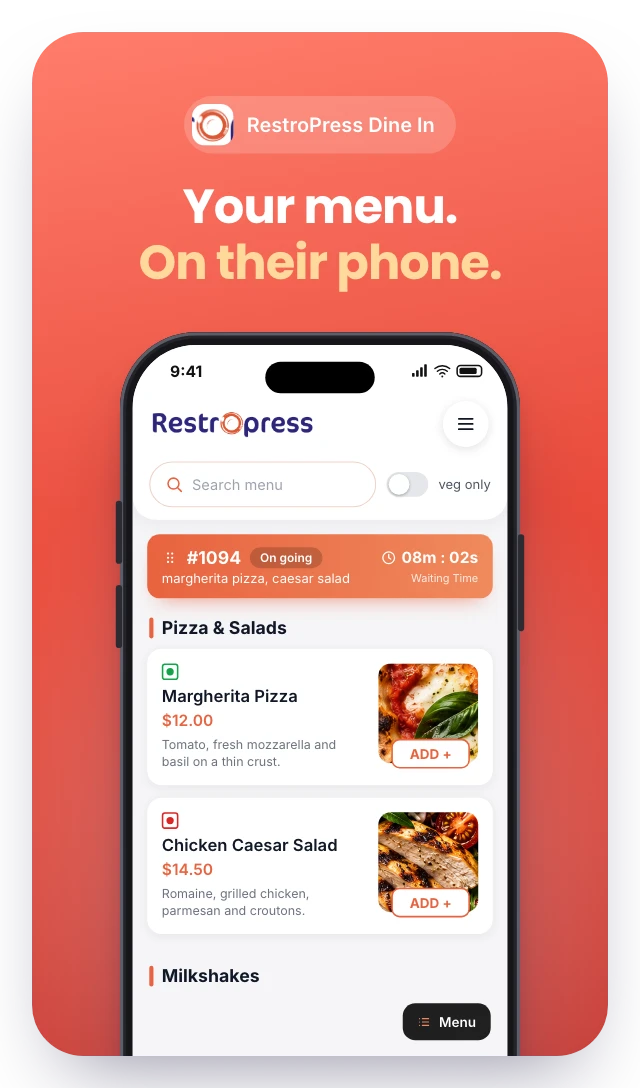
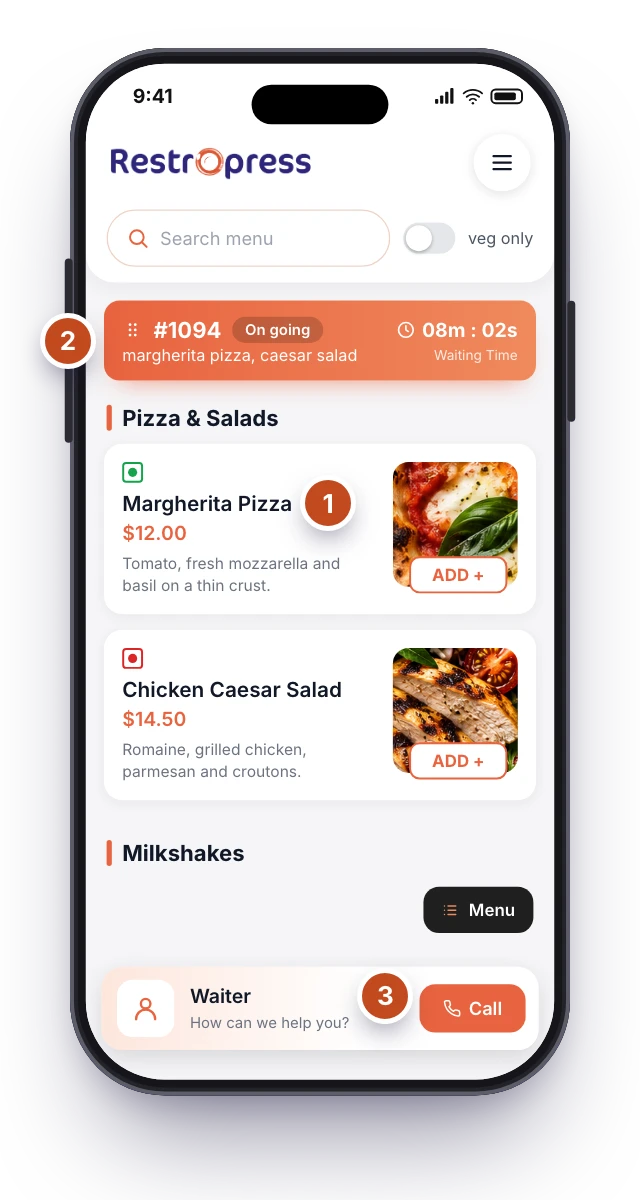
01 A menu in every hand
02 Orders linked to the table
03 A direct line to your team
THE GUEST EXPERIENCE
From choosing a favourite to calling a waiter, keep the essentials right where guests need them.
Select a step to explore the guest screen.
BEHIND EVERY GOOD SERVICE
Extend your dine-in setup with dedicated tools for the people taking orders and preparing the food.
FRONT OF HOUSE
Take table orders and respond to requests with the RestroPress Waiter App.
Explore Waiter AppRestroPress WaiterBACK OF HOUSE
Bring tickets, order notes and preparation status together on a kitchen display.
Explore Kitchen Display RestroPress KDS
Staff apps are additional tools. Check plan inclusions, supported devices and setup requirements.
Compare inclusions ↗YOUR RESTAURANT. YOUR WAY.
Start with your RestroPress website, add Dine In, then make the experience your own.
Configure your menu, tables and dine-in service on your WordPress website.
Place your table-specific QR codes where guests can scan them easily.
Test an order with your team, then invite your guests to scan and explore.
DINE IN EXTENSION
A compatible RestroPress website is required. Hosting, payments and staff devices may involve additional costs.
15 WEBSITES
$799/ year
30 WEBSITES
$1,499/ year
BUY THIS EXTENSION ONLY
Pay monthly or save with a yearly licence. Pick how many websites you run.
Licence key and download appear in your account right after checkout. Updates and support for this extension alone.
BEFORE YOU SET THE TABLE
Have a different service setup in mind?
Talk to our teamLET’S GET YOUR TABLE READY

 Build the setup that fits your service.