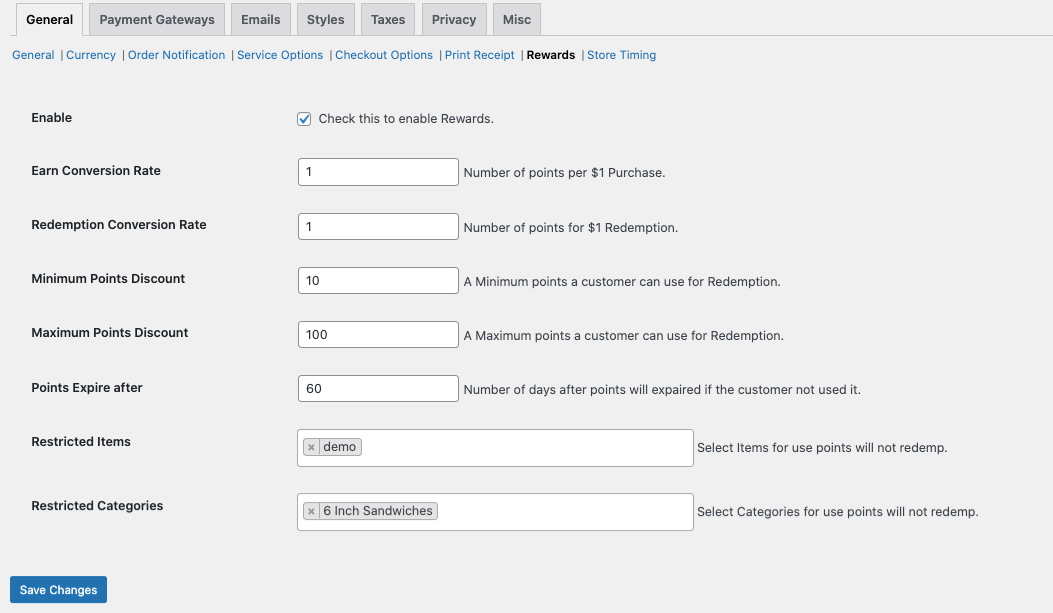
RestroPress – Rewards Extension will provide the feature to avail the reward points to the customers as per their purchase amount. Also, you can add the Reward points restriction for the particular food items and categories as per your requirements.
RestroPress - Rewards enables you to provide loyalty points to your customers for their purchases. The points can be redeemed for discounts on their future purchases. It helps you to create repeat purchases from the customers and helps to build customer loyalty.
You can set the number of points you want to award to your customers for each $1 purchase and you can also set the amount the point is worth.
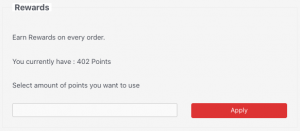
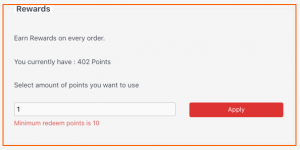
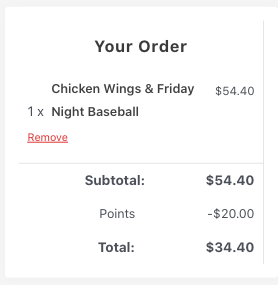
For example, you can set one point that could be equivalent to $1 or $10 or any other value you want to set. The customers can build their point balance and they can choose to redeem on the checkout page for a discount.
Benefits
Features
RestroPress MultiLocation extension helps store owners to sell their food items that have multiple locations(branches) of their business. This extension enables you to sell your food items from different locations(branches) of your store.
The plugin gives your customers the option to choose a location from where they want to place their order. It supports both delivery and pickup. This plugin also integrates with our delivery fee extensions. If you have multiple pickup points and you want your customers to specify a location when placing the order.
This extension also helps you to sell different items for different branches. You can specify the location when creating food items so that it shows those food items when a customer chooses the location.
You can find the screenshots and brief information about how to set specific things in order to get this plugin working.
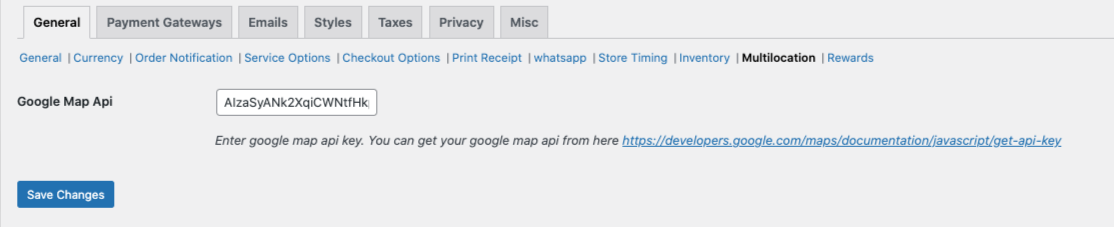
1. First of all you need to add the google map API key through this setting path
RestroPress -> Settings -> Multilocation -> Here you need to add the correct google map API key
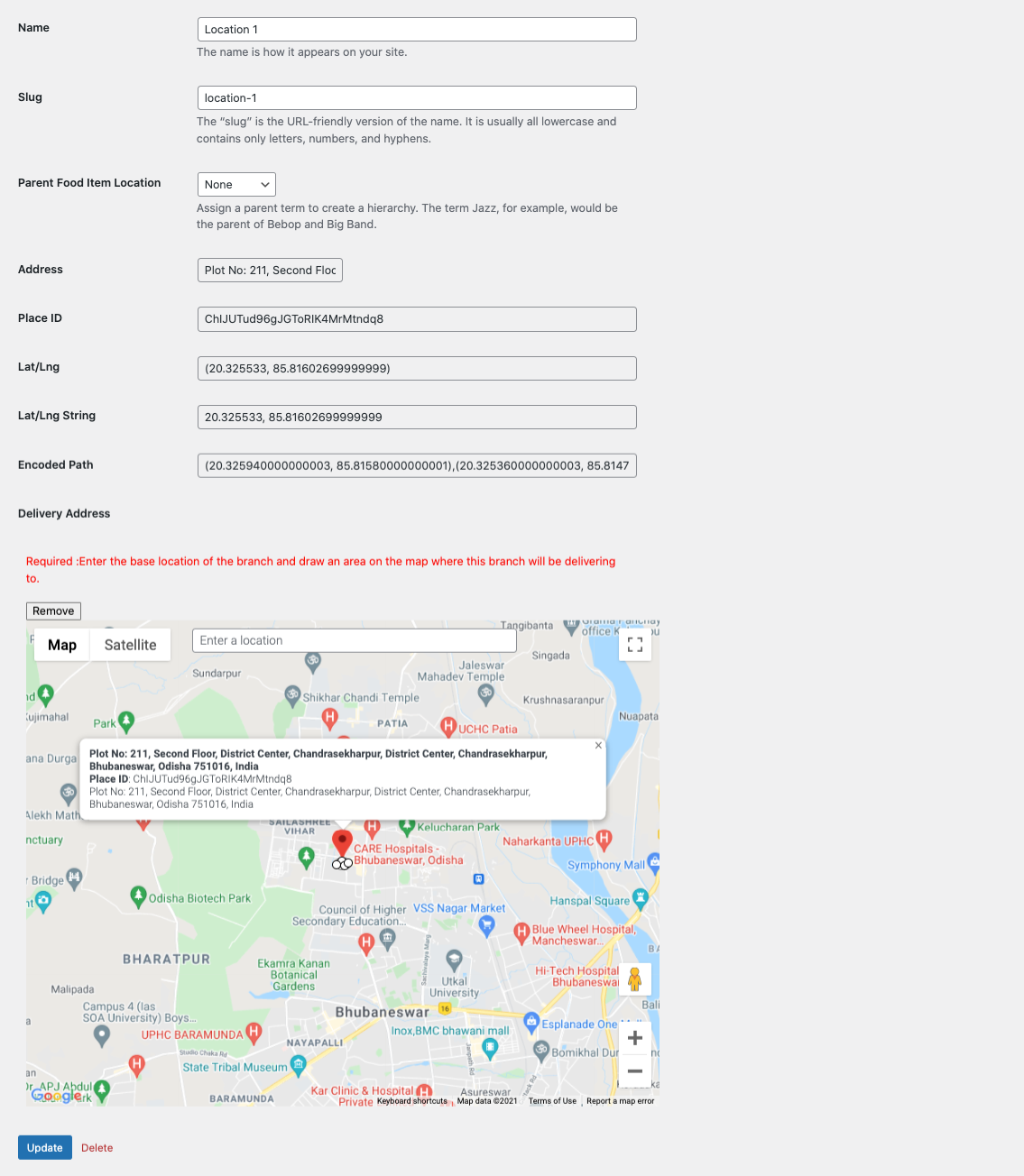
2. You need to set up your business locations through this setting path
Food items -> Locations -> Here you need to add your required location name -> Click on Edit -> On the map, you need to select the particular location area by drawing the line
Like this add the other locations as per your requirement.
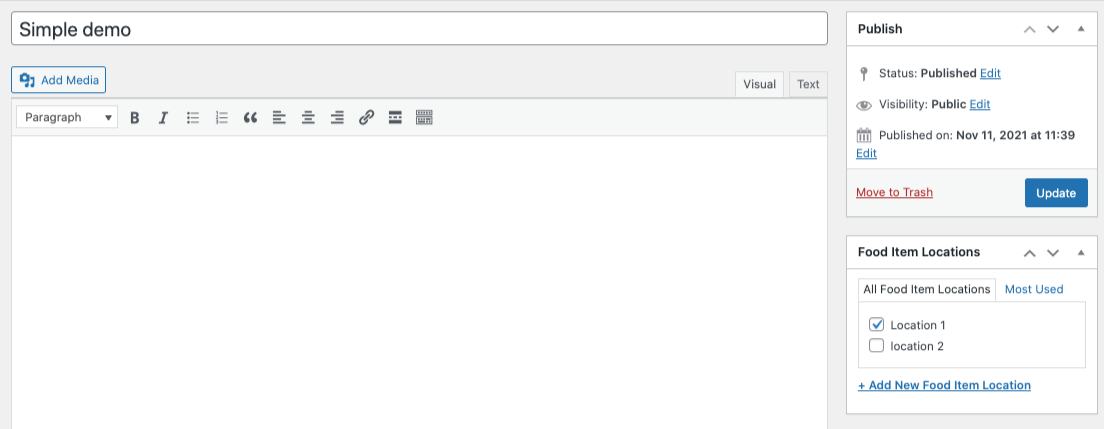
3. After adding the location, go to All food items and edit the food item.
Here on the right side, you can able to see the Food item locations.
You need to check the particular location for the particular food item.
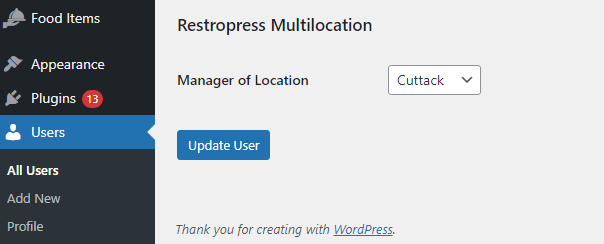
4. You can assign a Manager role for your different location and also if you are using the order tracking app then the manager can log in to the app by using his/her user Id and password details to manage the orders of the particular store.
To set up a manager role, you need to go through the settings Users -> Add a new user with the details and assign the user role as shop manager -> After creating the user click on Edit and go to the bottom of the page -> Here you can able to see an option Manager of Location -> Here you need to select the particular store location for this manager person
Note: The manager role feature is available from 1.1 version.
Power your revenue by choosing the right Payment Gateway that will help grow your business.
You can accept payments from customers and payouts to vendors with an easy and simple process.
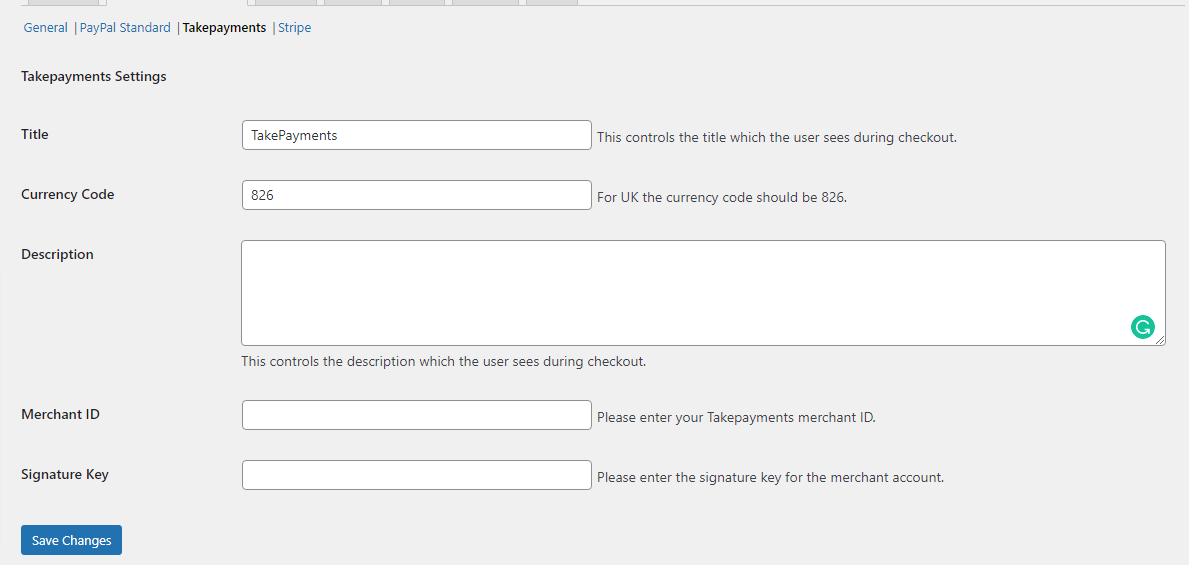
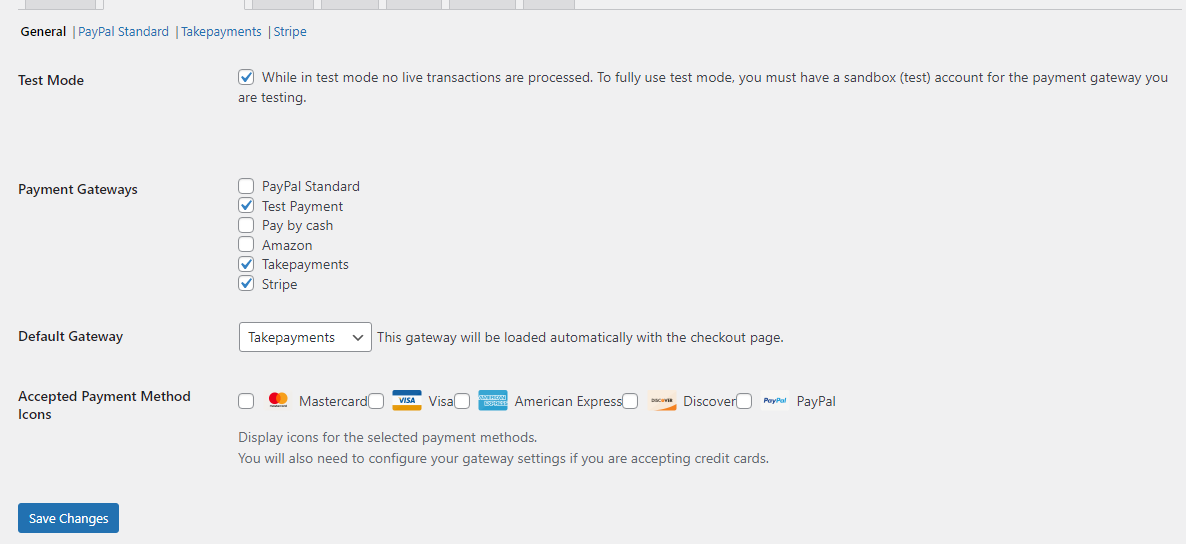
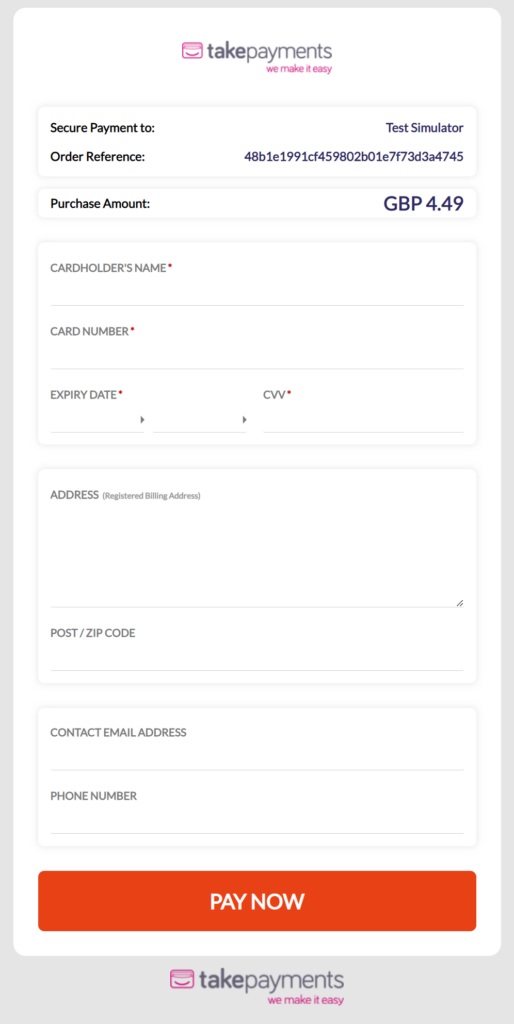
RestroPress TakePayments payment gateway allows you to accept credit card payments through your TakePayments account.
Need to create a TakePayments account to use the payment gateway.
Need to have an SSL certificate to use TakePayments on your website.
You can use this link to create a TakePayments account https://www.takepayments.com/
Receive alerts in real-time for incoming payments with multi-bank support for a seamless experience.
Notice: If your country supports TakePayments, you can go for it.
Benefits
Implement these robust features without any software installation or complex technical methods with the RestroPress payment gateway extension.

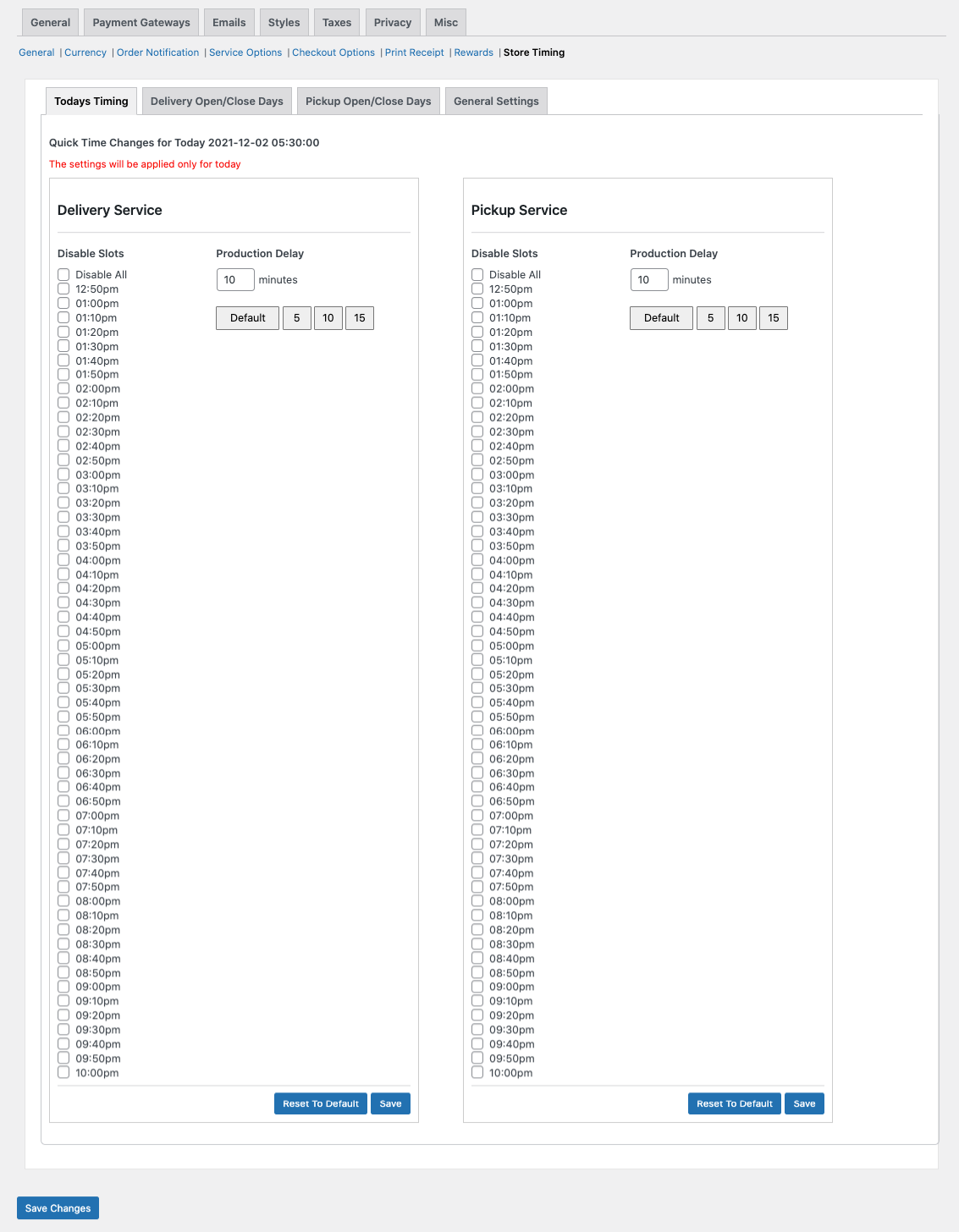
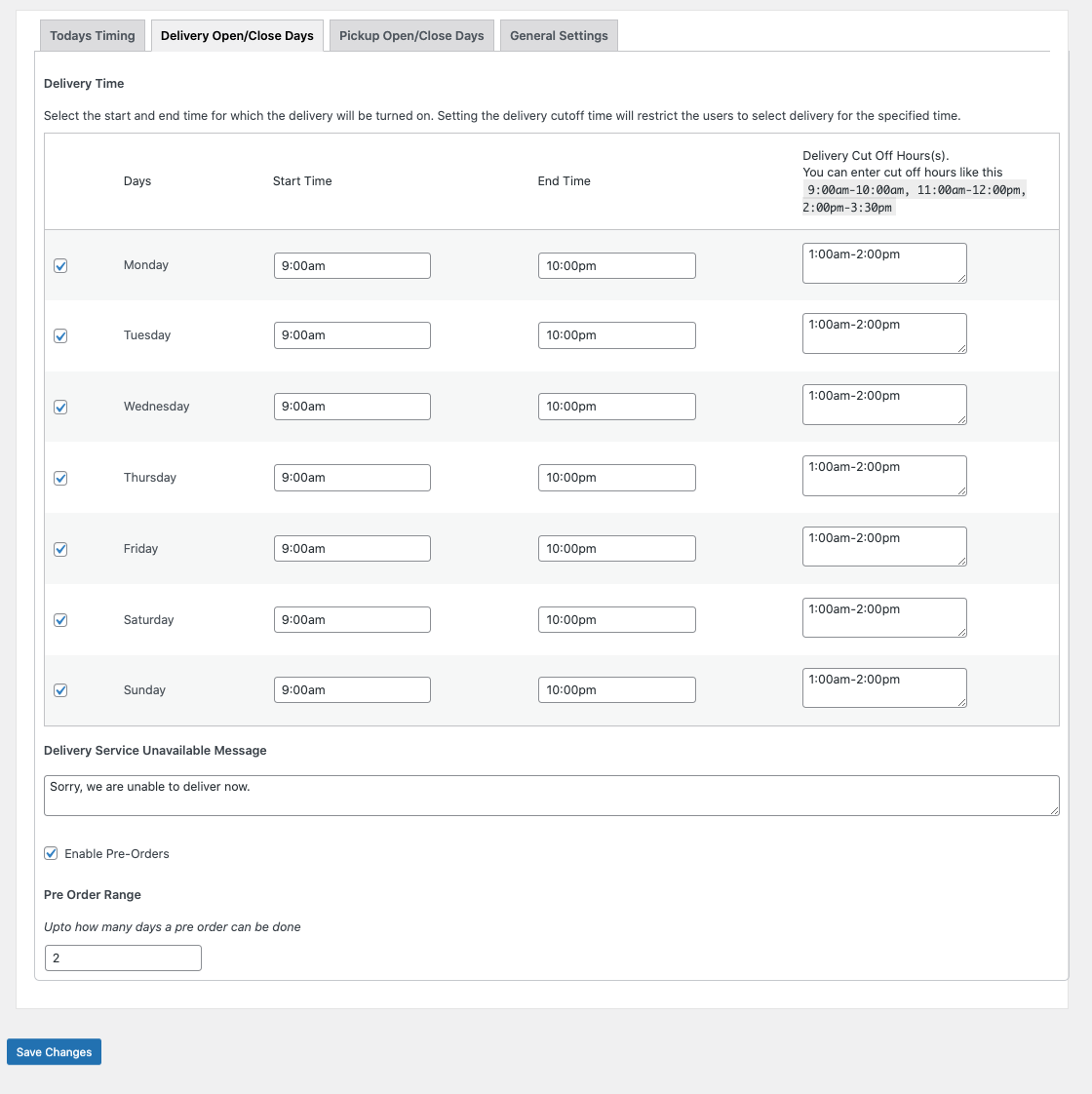
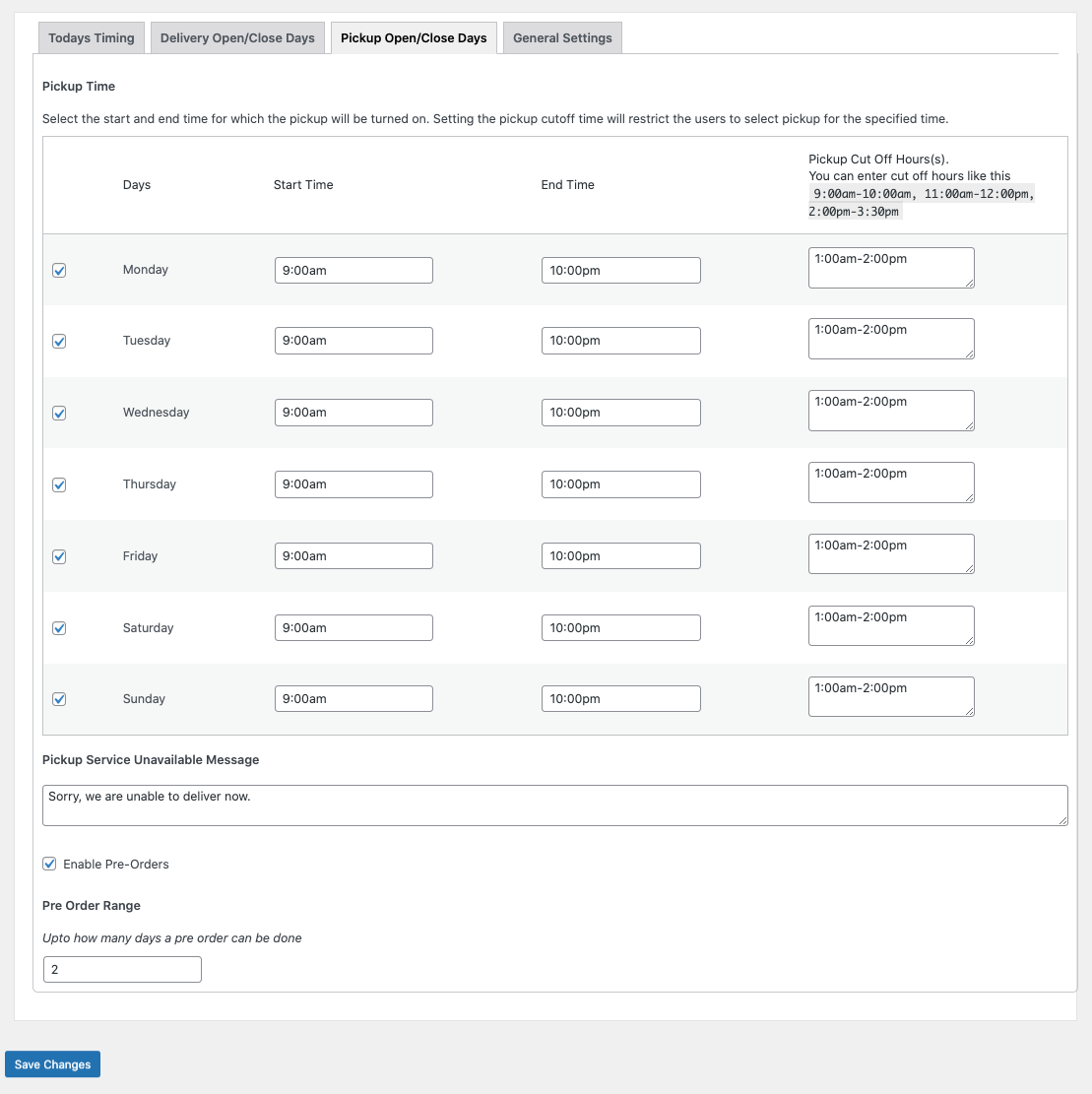
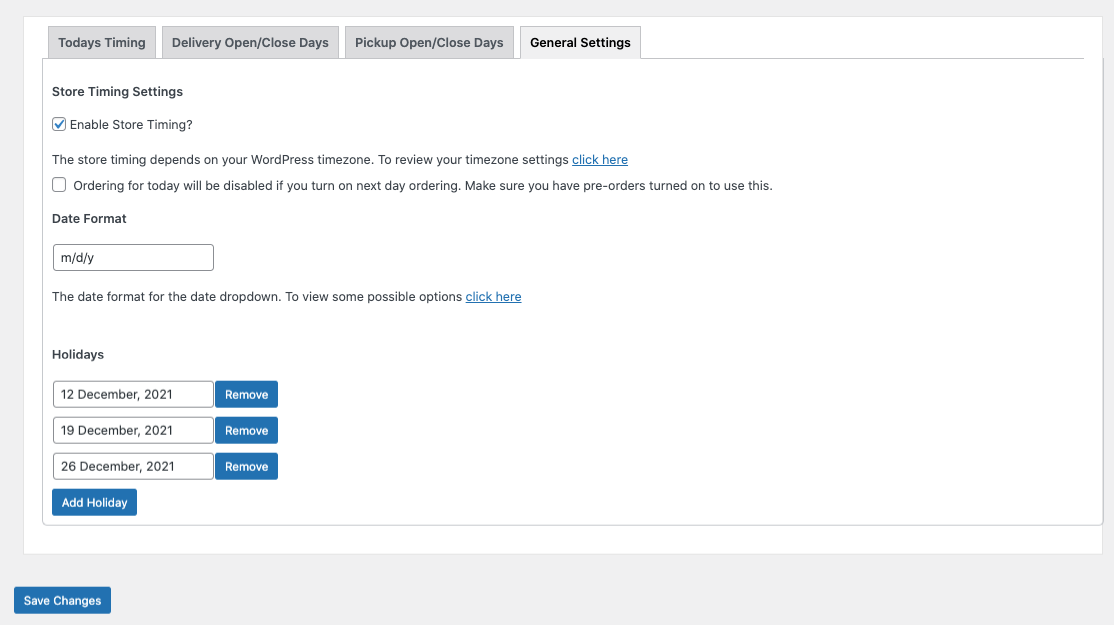
Store Timings and Delivery Cutoff extension for RestroPress allows you to efficiently manage your store/restaurant, such as opening time, closing time, and taking care of break times, holidays, etc... which are related to your working hours and business days. You can restrict customers from placing orders during non-working hours or off days.
This is a must-have extension for any restaurant as it allows the restaurant owner to cut off the delivery after a specified time and one can also set up different opening times based on days.
Note: This plugin requires at least RestroPress 2.5. Make sure you are using RestroPress 2.5 or higher than that to use this extension. If you need an earlier version, then please contact us.
Features
Benefits

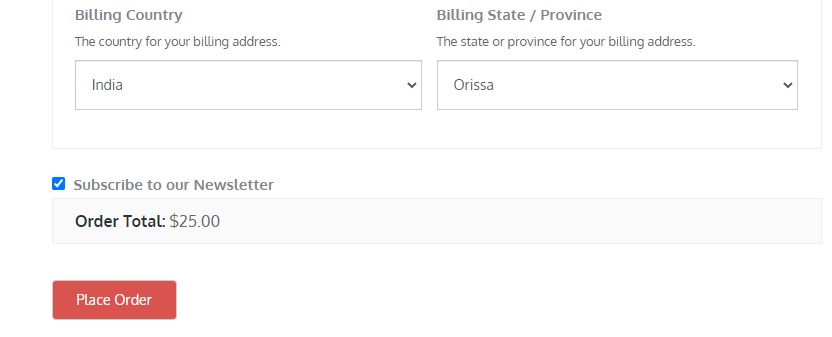
RestroPress Mailchimp extension provides you with the ability to subscribe customers to MailChimp lists when purchasing products through RestroPress. Using this extension, you can engage your customers and grow your audience more efficiently. Moreover, your customers and their purchase data are automatically synced with your Mailchimp account.
Note: You need a MailChimp account to use this extension.
You can automatically follow up with customers post-purchase, recommend products, and measure the ROI of your marketing efforts, making it easy to send targeted campaigns.
Features
Benefits
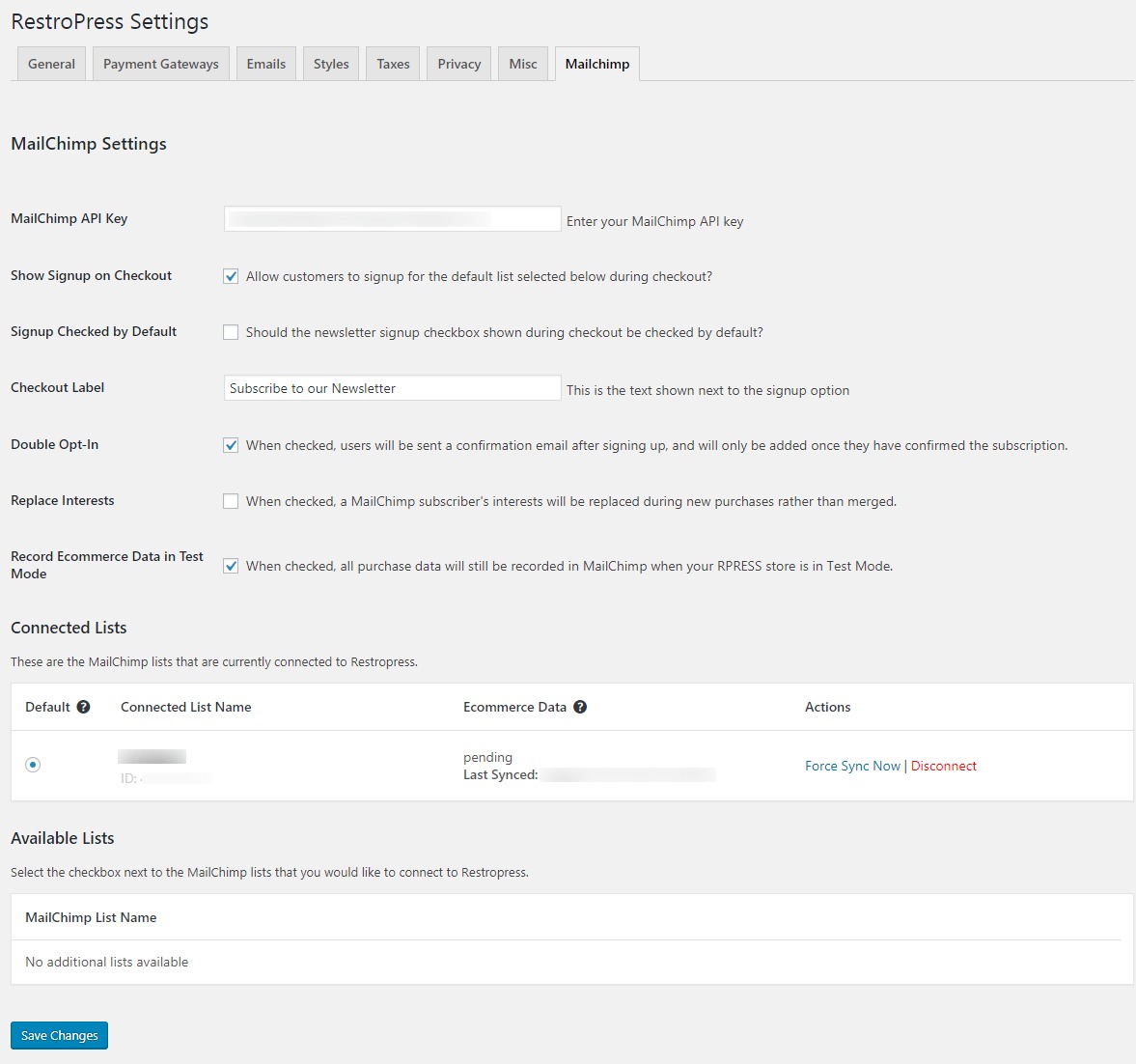
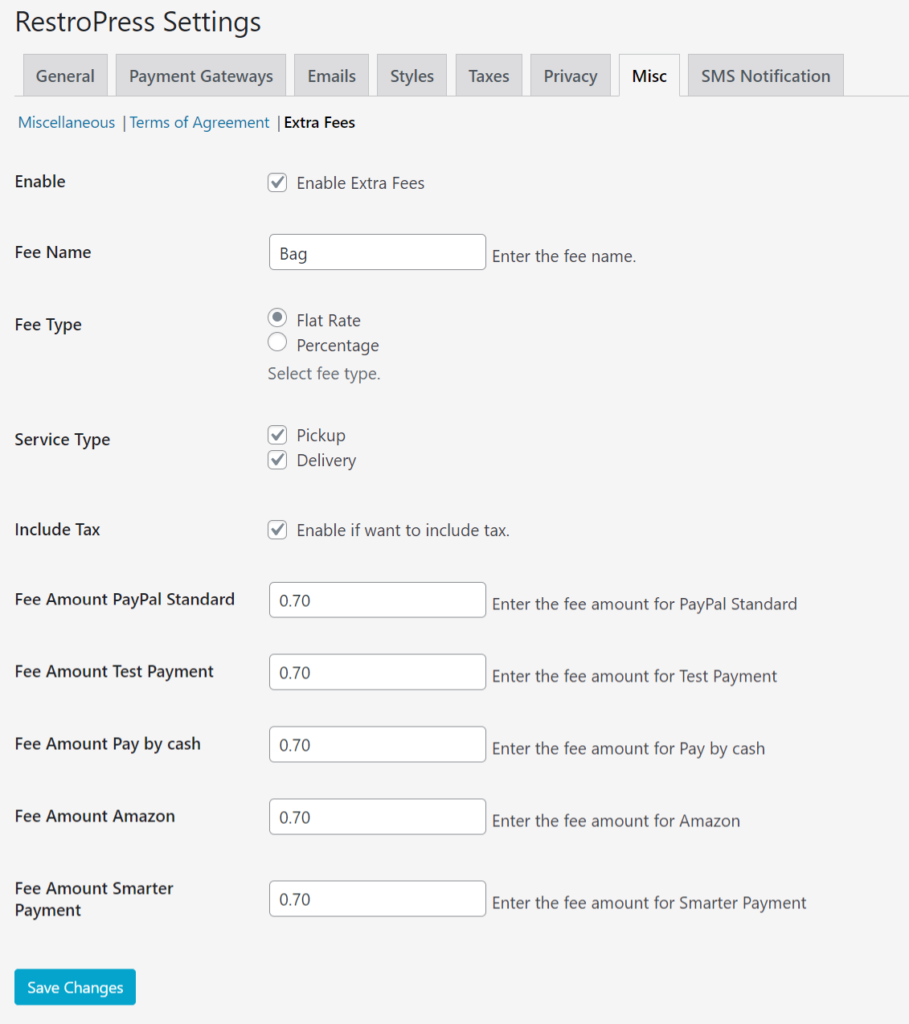
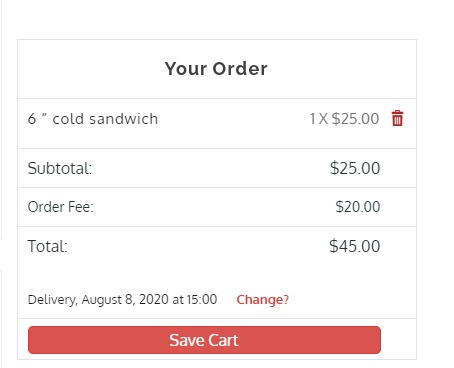
RestroPress Extra Fees extension allows to charge an additional fee to your customer for additional services. It includes quick delivery, payment method complying with tax laws, packing charges, gift wrap, etc. The extra fees can be applied based on specific service types and can be set in terms of flat fees or percentages. This extension works with all types of RestroPress payment gateways.
Features
Benefits
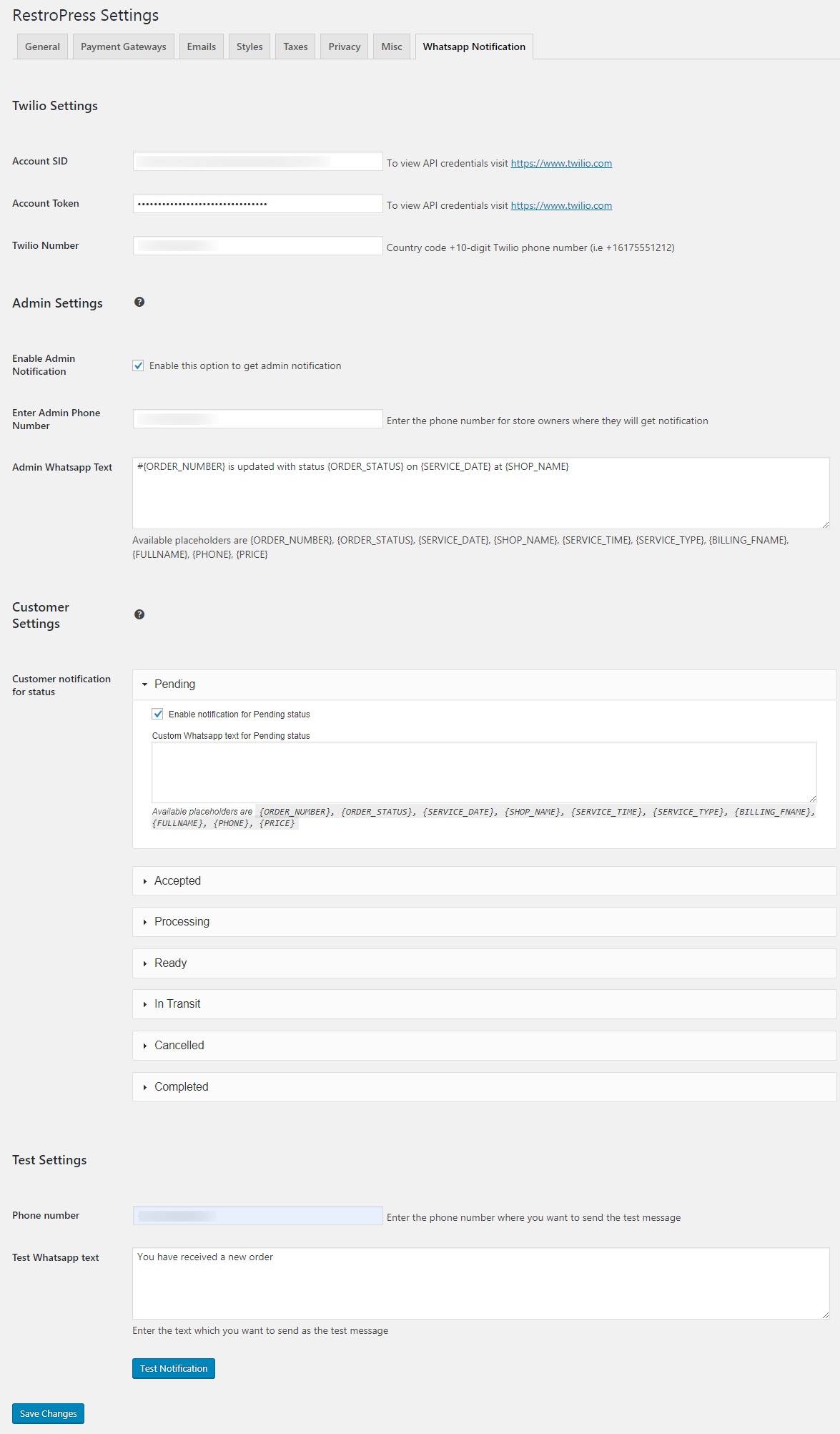
RestroPress - Whatsapp Notification extension helps you to make your ordering easier and more convenient. It helps you to make your order process easier and more appropriate. It provides the functionality for admin setting to enable the admin notification option as well as customer notification for updating order status with various options whether the order is accepted, processing, ready, canceled, completed, in transit, etc. Admin can send customized messages to their respective customers.
Features:
Benefits
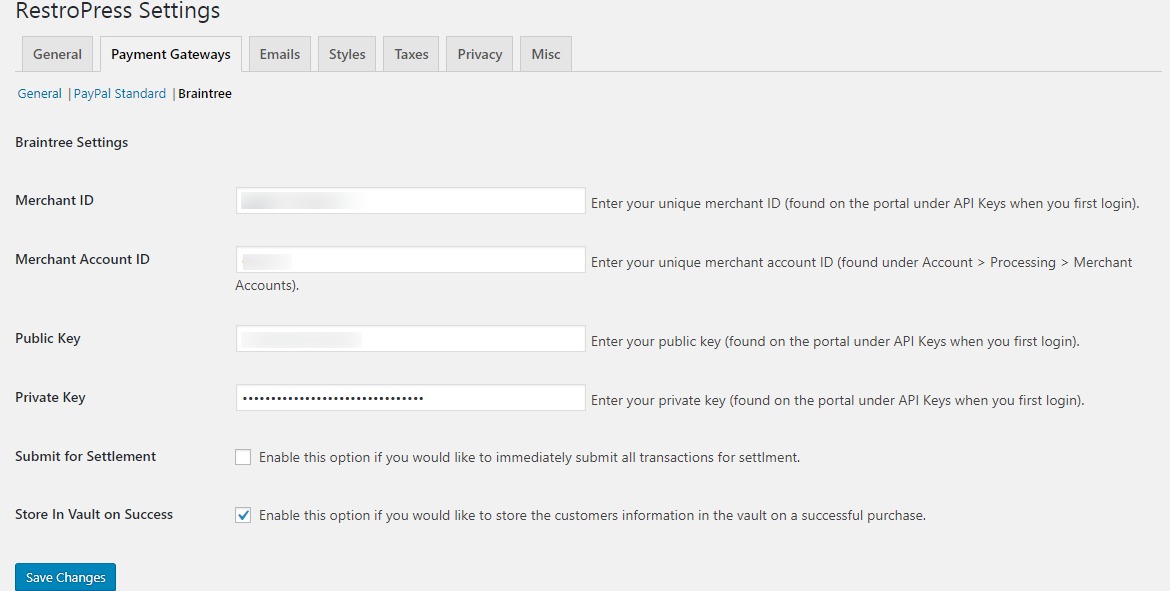
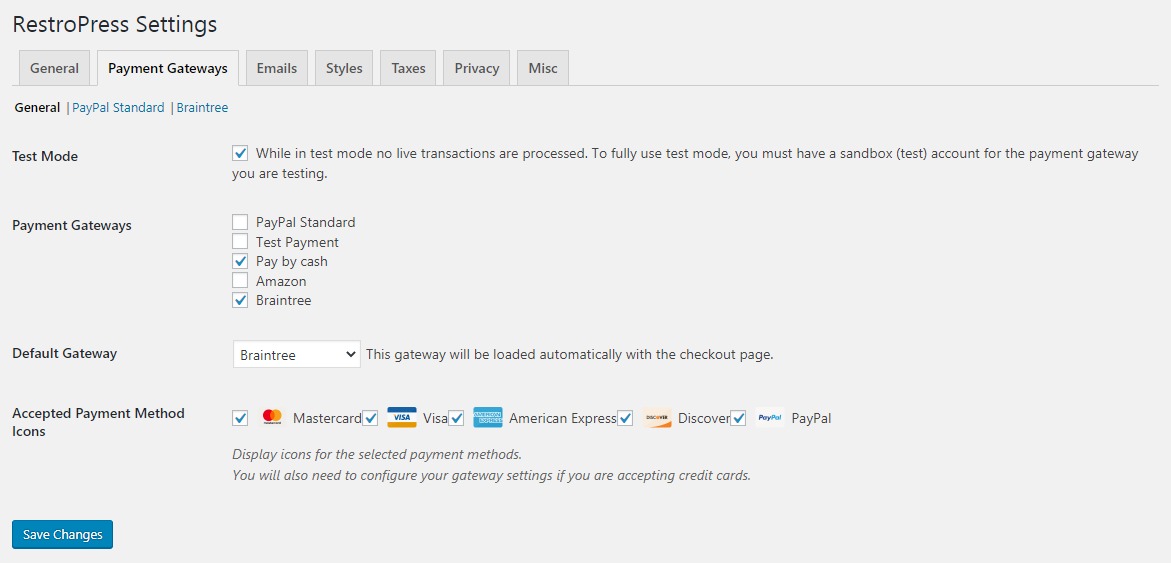
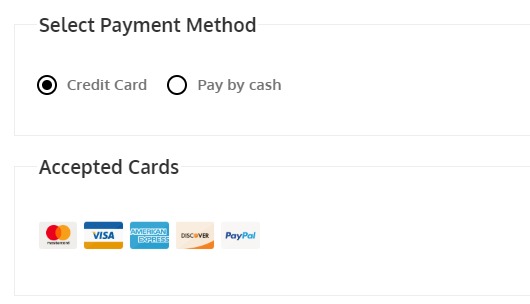
RestroPress Braintree payment gateway permits you to accept credit card payments through your Braintree account and process them securely. To use this payment gateway, you need to create a Braintree account https://www.braintreepayments.com/. In fact, Braintree is undoubtedly the easy and most accessible payment gateway. You need to have an SSL certificate to use Braintree on your website.
Features
Benefits
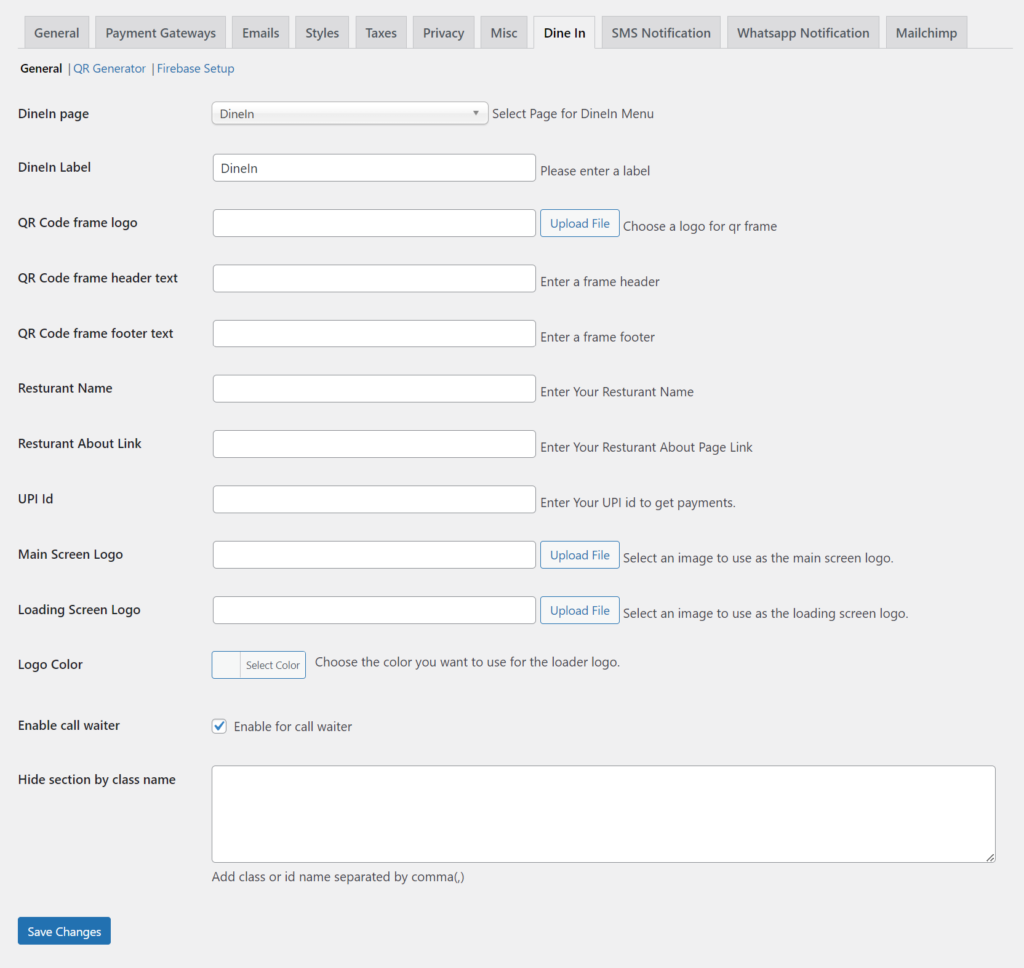
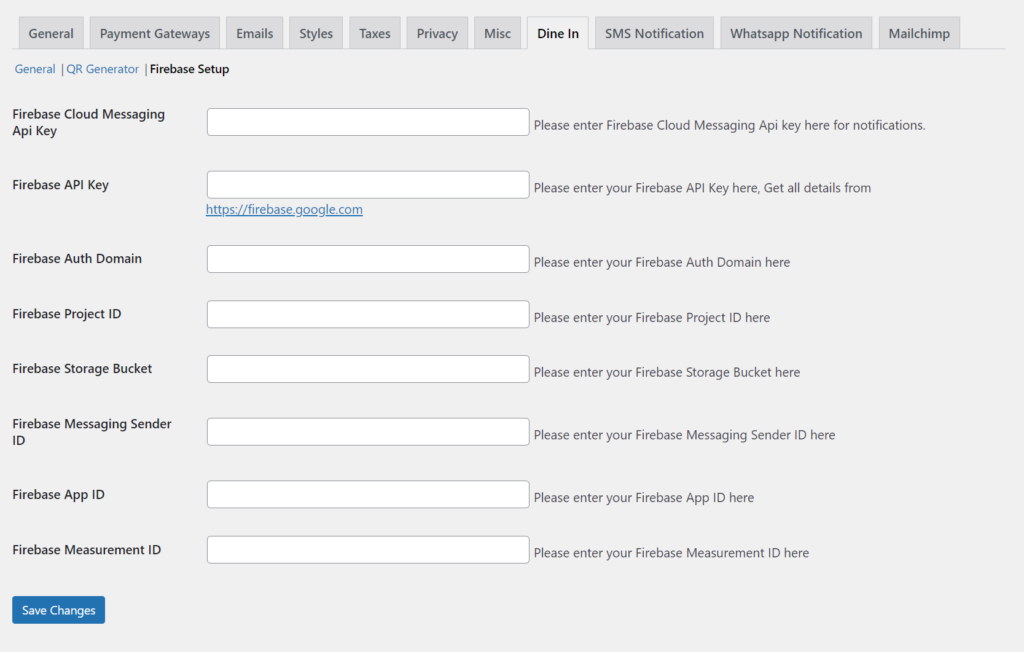
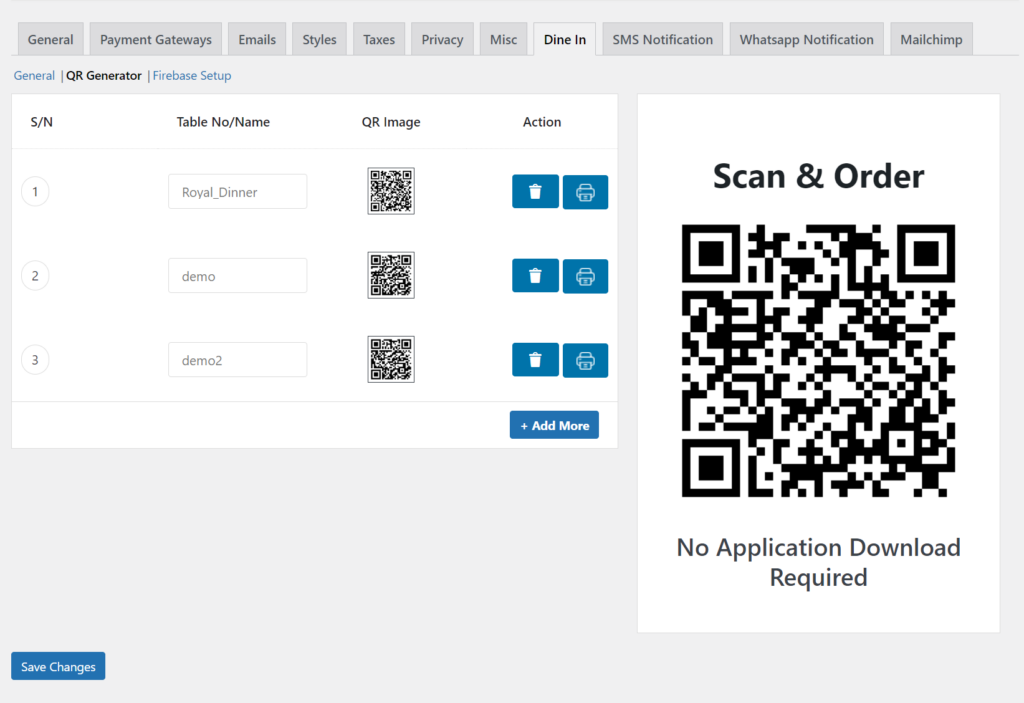
RestroPress DineIn introduces Table Ordering System in Online Food Ordering System. It gives your customers the safest way to order and hang out together. It prevents them from any contact. Customers can easily Scan the QR Code on their table and access the menu on their devices.
Benefits of using RestroPress DineIn extension:f1.Provide contactless access to Food Menu
Note:
The waiter app feature is integrated with the updated version 1.4
Screenshots:
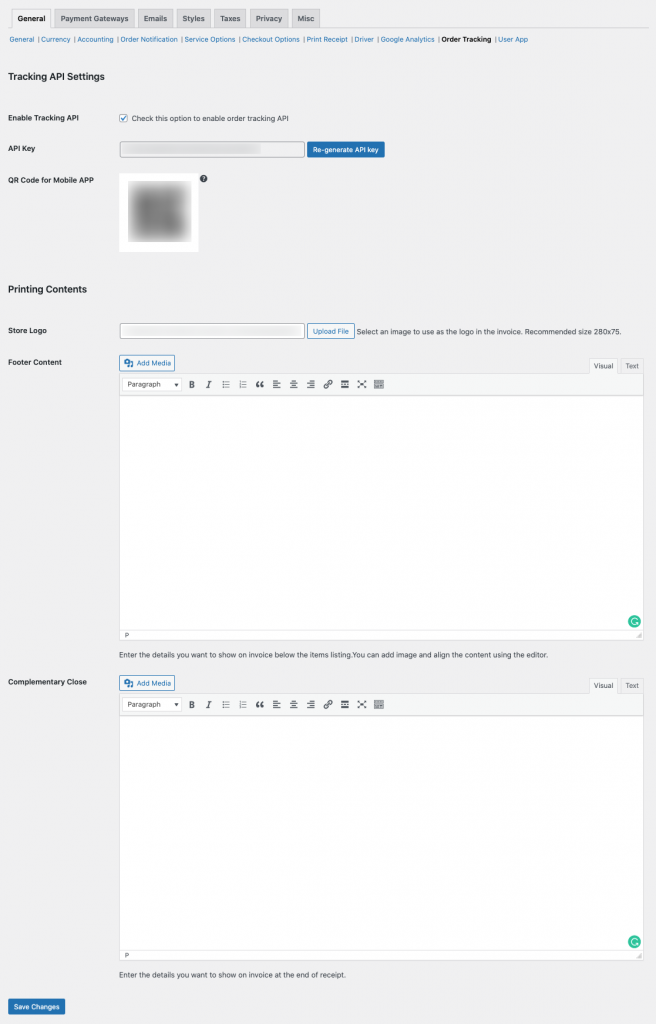
RestroPress Order Tracking APP Extension allows you to use Order Tracking App. It provides you with the information that is required to start the App. You will be able to generate API key using the extension.
Benefits of using Order Tracking APP Extension:
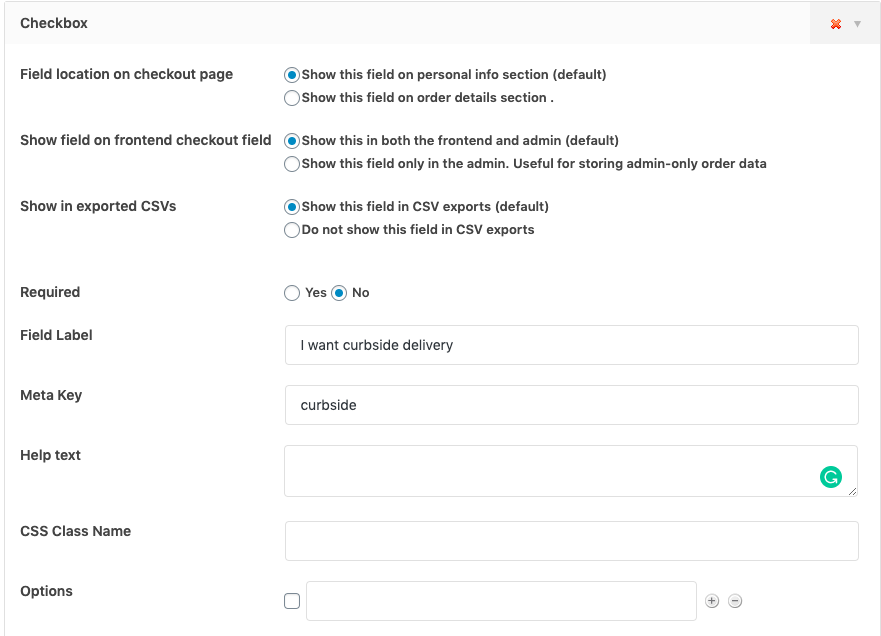
Checkout is a vital part of your store or restaurant; you should use it to capture all the key information you need from your customers. RestroPress Checkout Field Manager extension enables you to add new text fields, drop-downs, file upload capability, check boxes, and other field types to your checkout with the intuitive drag-and-drop interface easily... You can add multiple no new fields to your checkout page, which includes custom fields on the checkout page, related to order details, billing details, shipping, or additional fields. You can also set them as mandatory or optional based on the requirements.
Moreover, it allows to customize the default checkout fields such as adding new custom fields in different sections editing, hiding, or deleting the default fields, changing labels, rearranging checkout fields, validating the checkout fields, adding custom CSS classes, etc.
Key Features
Here is the list of available Fields

Helps you to setup RestroPress and it’s Extensions.
Have a problem that you can’t solve? We are here to help you.
Have a query? Take a look at our Frequently asked questions.


